This page has links for all of the sample applications I’ve built to demonstrate a specific feature of C#, and correspond to a specific week’s tutorial. All of these applications were built using Windows Presentation Foundation, and therefore require Windows to run.
Be aware that these applications were designed to demonstrate a specific feature of C# rather than for easy source code readability; in addition, some advanced programming constructs, techniques, and frameworks not covered in ECE 150 are used. I make no guarantees to the robustness or architectural quality of these applications; they are demos, not examples of good coding practices :)
Source code for the applications is on GitHub.
Week 2: Simple Types
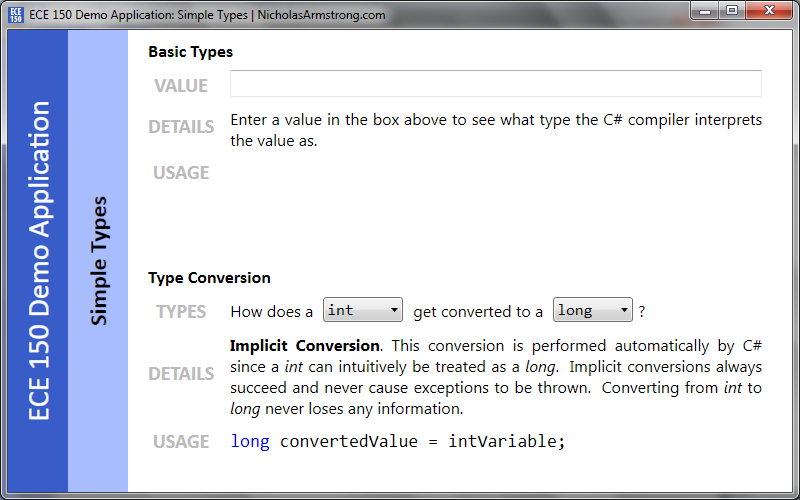
This sample application detects the basic C# types (like int, long, double, string, char, and bool) from the values you type in, as well as describing what forms each of these types. It also allows you to see which types can be converted to which other types, and the correct method to use for the conversion.
Screenshot | Source Code | Download Zip
Week 3: Loops
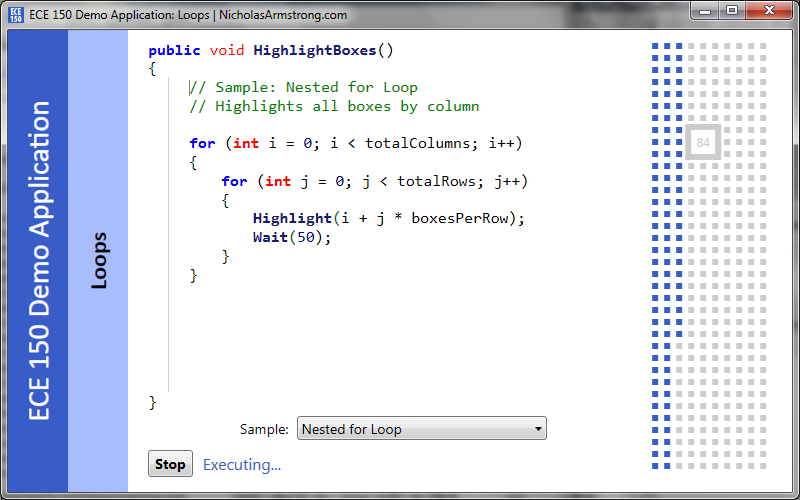
This sample application demonstrates the basic concepts behind loops in C# (for, while, and do-while) by presenting a number of sample programs that you can run and tweak. Each sample application highlights a set of boxes arranged in a grid according to the provided loop; the application dynamically compiles the provided samples so that you can see the effect of changing various loop parameters.